💧 Plant Soil Moisture Alert
Arduino Soil Moisture Sensor tutorial: build an automatic plant watering alarm with a capacitive/resistive sensor and clean Arduino soil moisture code.
Overview
Soil moisture sensors measure conductivity between two probes. Wet soil conducts electricity well (low resistance), dry soil doesn't (high resistance). Arduino reads this via analogRead.
Technical Insight: This sensor measures volumetric water content by tracking soil electrical resistance or dielectric permittivity. While resistive sensors are subject to electrochemical corrosion over time, capacitive soil sensors are engineered to last up to 4.5x longer by isolating the sensing trace from direct soil contact.
In simple terms: The dry soil acts as a strong electrical insulator, producing a high analog value. Wet soil conducts easily, producing a low analog reading. The Arduino continuously samples this value and sounds a warning tone if it detects moisture levels have dropped below a custom safety threshold.
What you'll learn: Processing analog sensor inputs, calibrating raw telemetry values, sounding warning alerts with a piezo buzzer, and understanding smart agriculture automation principles.
Estimated time: 30-40 minutes. Difficulty: ⭐⭐ Easy.
Components Needed
| Component | Specification | Qty | Notes |
|---|---|---|---|
| Arduino Uno R3 | 5V | 1 | |
| Soil Moisture Sensor | Capacitive or resistive | 1 | Capacitive lasts longer |
| Piezo Buzzer | Passive 5V | 1 | Alert when dry |
| Breadboard + Wires | Standard | 1 |
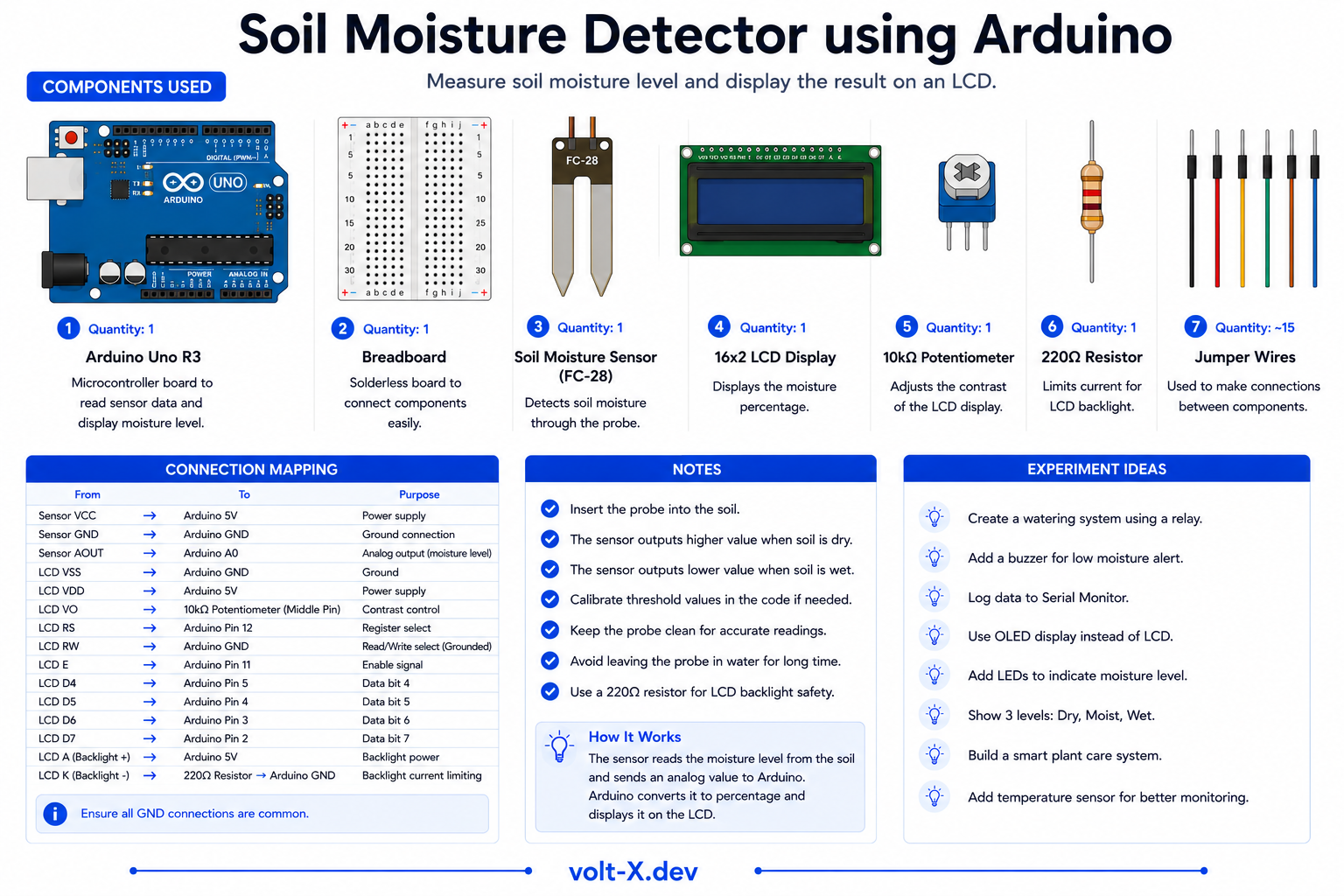
Component Pin Mapping
Step-by-Step Tutorial
Connect the Sensor
Connect the Buzzer
Calibrate
dryThreshold accordingly.Plant It!
Arduino Code
// Soil Moisture Alert — Volt X
const int sensorPin = A0;
const int buzzerPin = 8;
const int dryThreshold = 600; // Adjust after calibration

void setup() {
  pinMode(buzzerPin, OUTPUT);
  Serial.begin(9600);
}

void loop() {
  int moisture = analogRead(sensorPin);
  Serial.print("Moisture: ");
  Serial.println(moisture);

  if (moisture > dryThreshold) {
    // Dry — buzz alert
    tone(buzzerPin, 1000, 500);
    delay(1000);
  } else {
    noTone(buzzerPin);
    delay(500);
  }
}Reviews & Ratings
Sign in to leave a review
Loading reviews...